01
Start where you are with Faith paths
Tap the North Star Faith button at the top of the reader to open eleven guided Scripture journeys leading to Christ: God’s words, Jesus’ words, The Good News, No previous theology, One way to God, and Jewish, Muslim, Mormon, Hindu, Buddhist, and Atheist answers. Read or listen straight through at your own pace.
Open the Faith menu ↗
02
Press Play and hear Scripture come alive
Built-in voice narration starts at a calm pace (adjustable from 0.50× to 1.50×) and highlights each word as it speaks. Rewind three or eight words anytime, keep listening smoothly across chapters, and keep audio playing while you browse other verses.
Listen to John 1 ↗
03
Tap any verse or pericope for Exegesis
Wonder what a passage means or where else Scripture echoes it? Tap any verse or section heading to open Exegesis beside the text: Tyndale study notes, over 343,000 filterable cross-references, one-tap citation copy, up to three translations open alongside the original language, and one-tap verse comparison across all seven editions.
Study John 3:16 ↗
04
Hear Hebrew, Aramaic, and Greek words aloud
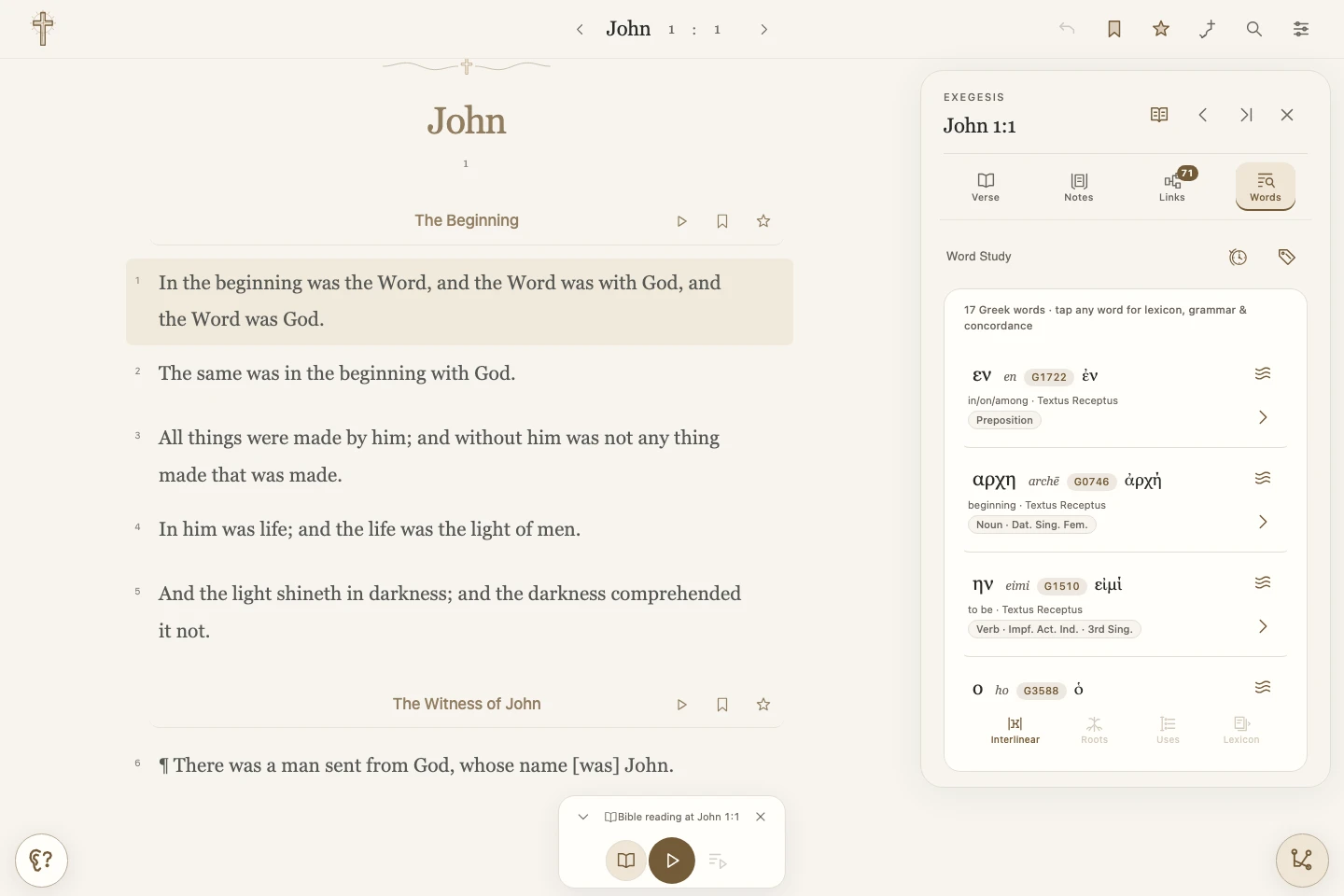
Open Words inside Exegesis for an instant reverse interlinear with Strong’s numbers, plain-English grammar parsing, root word families, searchable concordance across NA28 and Byzantine witnesses, and spoken pronunciation audio.
Explore Psalm 23 ↗
05
Know the story of every Bible book
Open any of the 66 Protestant books, or all 73 books of the Catholic edition, for a clear spoken introduction and an expandable historical and theological overview before you begin chapter 1.
Read Genesis overview ↗
06
Save, label, and personalize your Bible
Bookmark your place, star favorite verses or exact phrases, organize study trails with colored labels (Promises, Wisdom, Questions, Prayer, or your own), and choose from 33 hymn color palettes, 33 covers, and 33 crosses.
Make it yours ↗